AI-powered toolkit
built into Ghost Admin
Track AI traffic. Write with AI. Narrate your posts.
Manage content and redirects. All without leaving Ghost Admin.
AI-powered toolkit
built into Ghost Admin
Track AI traffic. Write with AI. Narrate your posts.
Manage content and redirects. All without leaving Ghost Admin.
Build real AI traffic
Turn hallucinated traffic into real posts
Get more AI traffic to your site
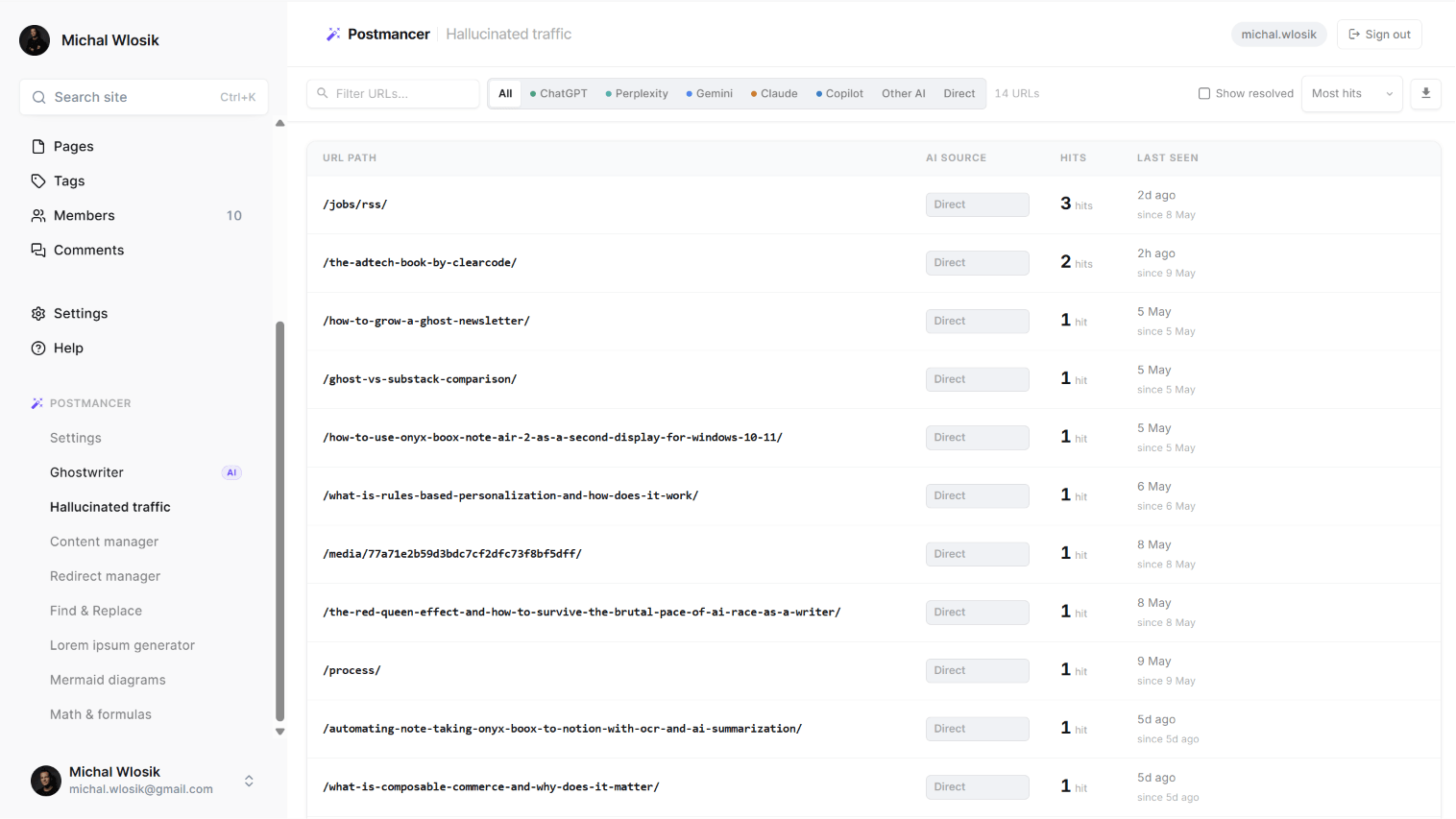
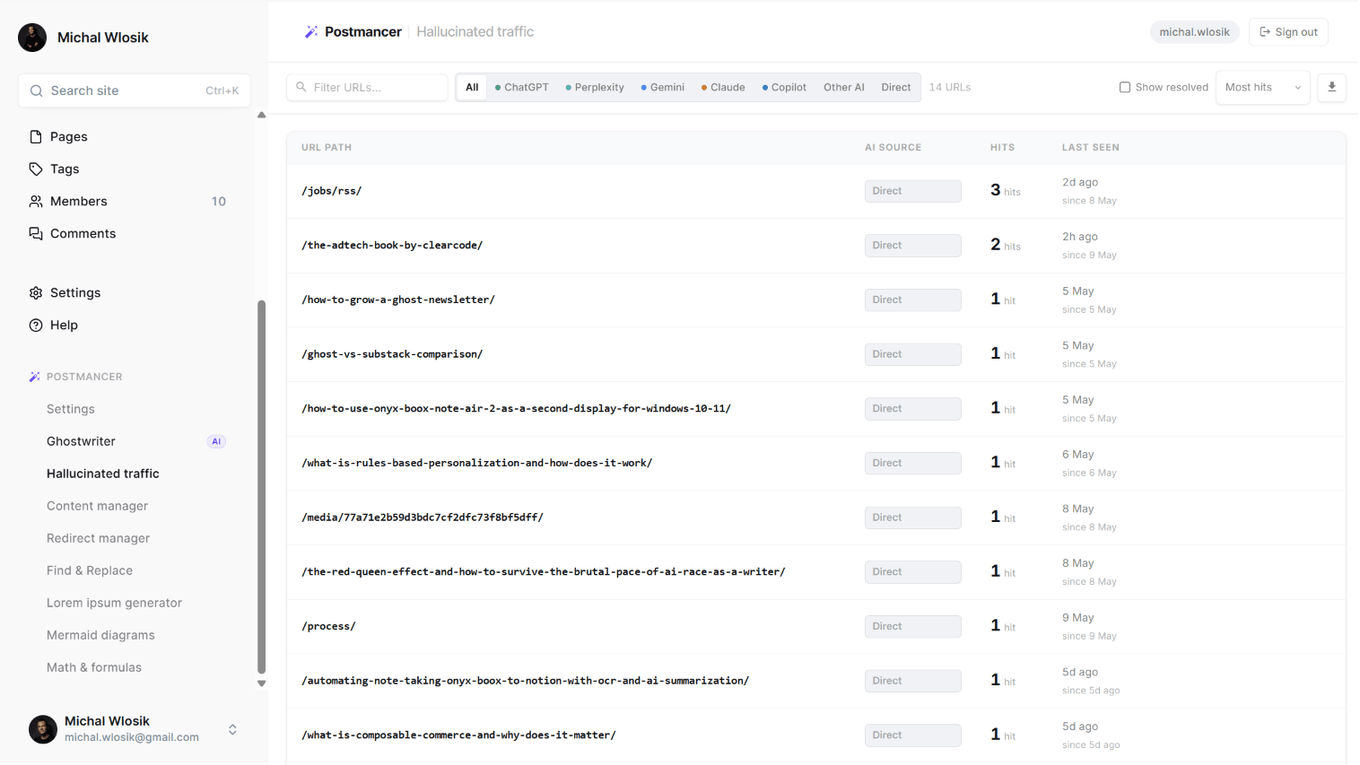
LLMs like ChatGPT, Perplexity and Gemini regularly recommend your site in conversations — but often link to pages that don't exist. Readers hit a dead end and leave. You never knew they came. Postmancer tracks every one of those visits — which AI sent them, which URL they were looking for, how many times. Then you decide: write the post, set up a redirect, or dismiss it.
Silent monitoring
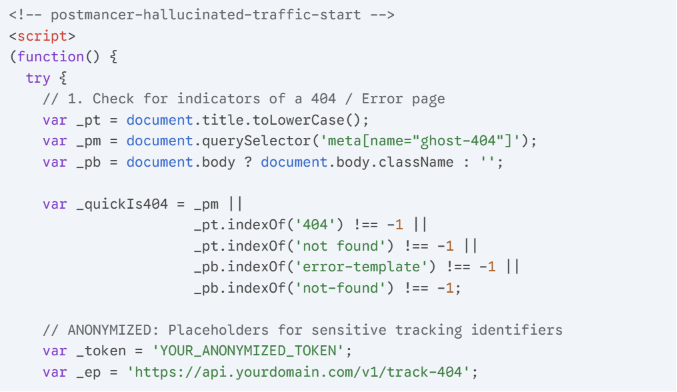
A lightweight snippet added to your Ghost footer watches around the clock for visitors arriving at pages that don't exist. It runs invisibly in the background, adds zero load to your site, and requires no maintenance once set up.
Source detection
Every hit is automatically matched to its AI source. See exactly whether it was ChatGPT, Perplexity, Gemini, Claude or another AI tool that sent the visitor. Screenshot: Hallucinated Traffic panel showing AI source badges

Turn dead ends into opportunities
Every hallucinated URL is an editorial signal. Write the missing post with Ghostwriter directly from the panel, set up a redirect to an existing page that covers the topic, or dismiss entries you've already handled.
Write with AI
AI ghostwriter that lives where you write
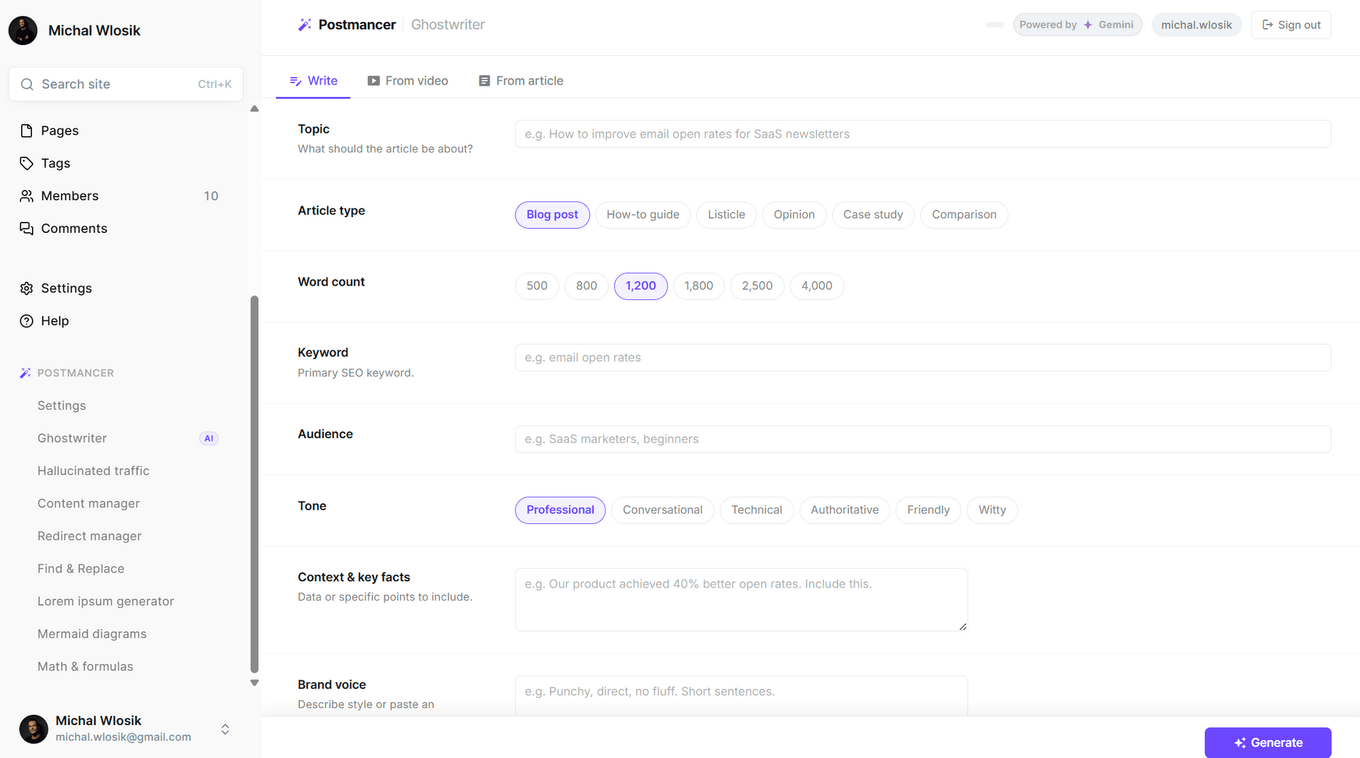
Write from a brief
Your topic. Your tone. Your audience. Give Ghostwriter a topic, article type, word count, SEO keyword, audience, and tone. Add your brand voice, key facts to include, and structural options like FAQ sections, key takeaways, and citations. It handles the rest — outline, full draft, feature image from Pixabay, internal link suggestions, and meta description. Screenshot: Ghostwriter brief form
Write from a YouTube video
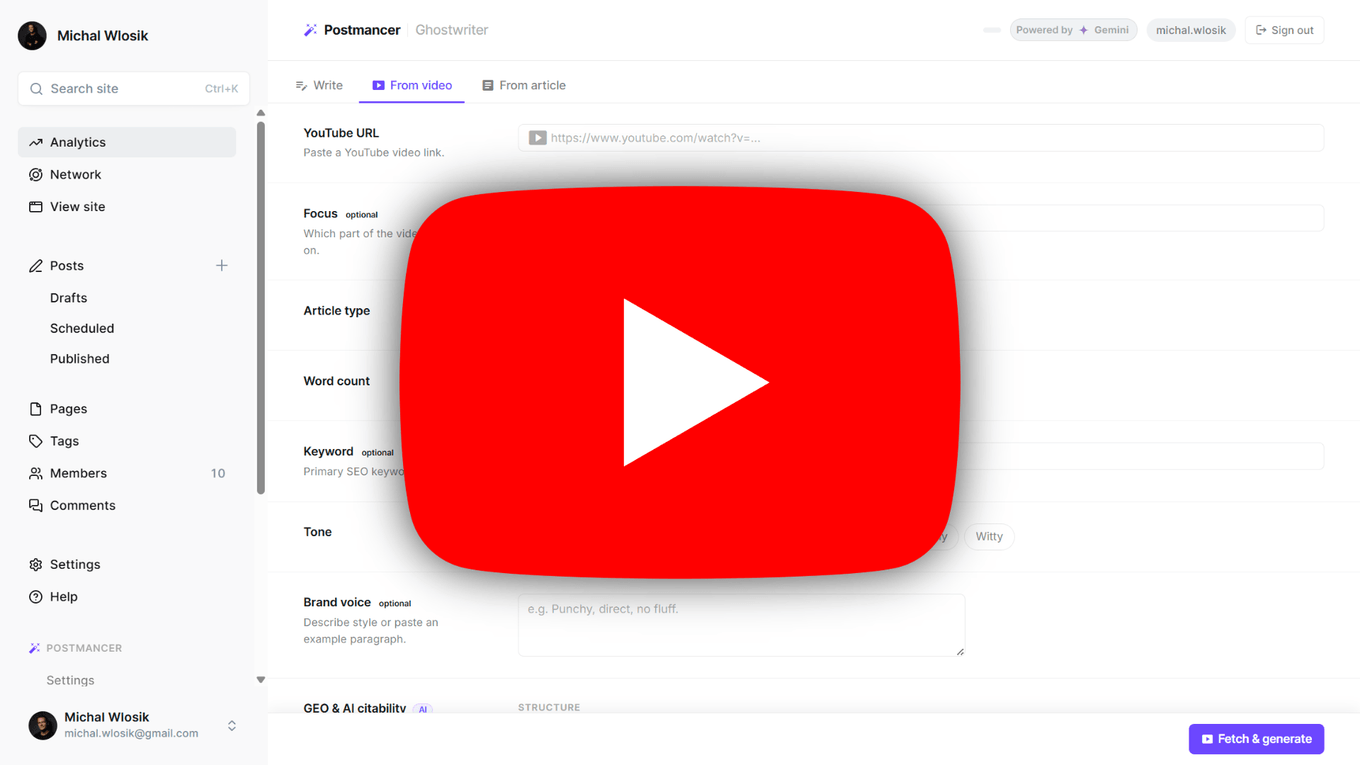
Drop in any YouTube URL and Ghostwriter transcribes and transforms it into a full article. Choose article type, word count, keyword, and tone. Focus it on a specific section of the video if you want. Ghost publishers with video content finally have a frictionless way to repurpose it. Screenshot: Ghostwriter video mode with YouTube URL input
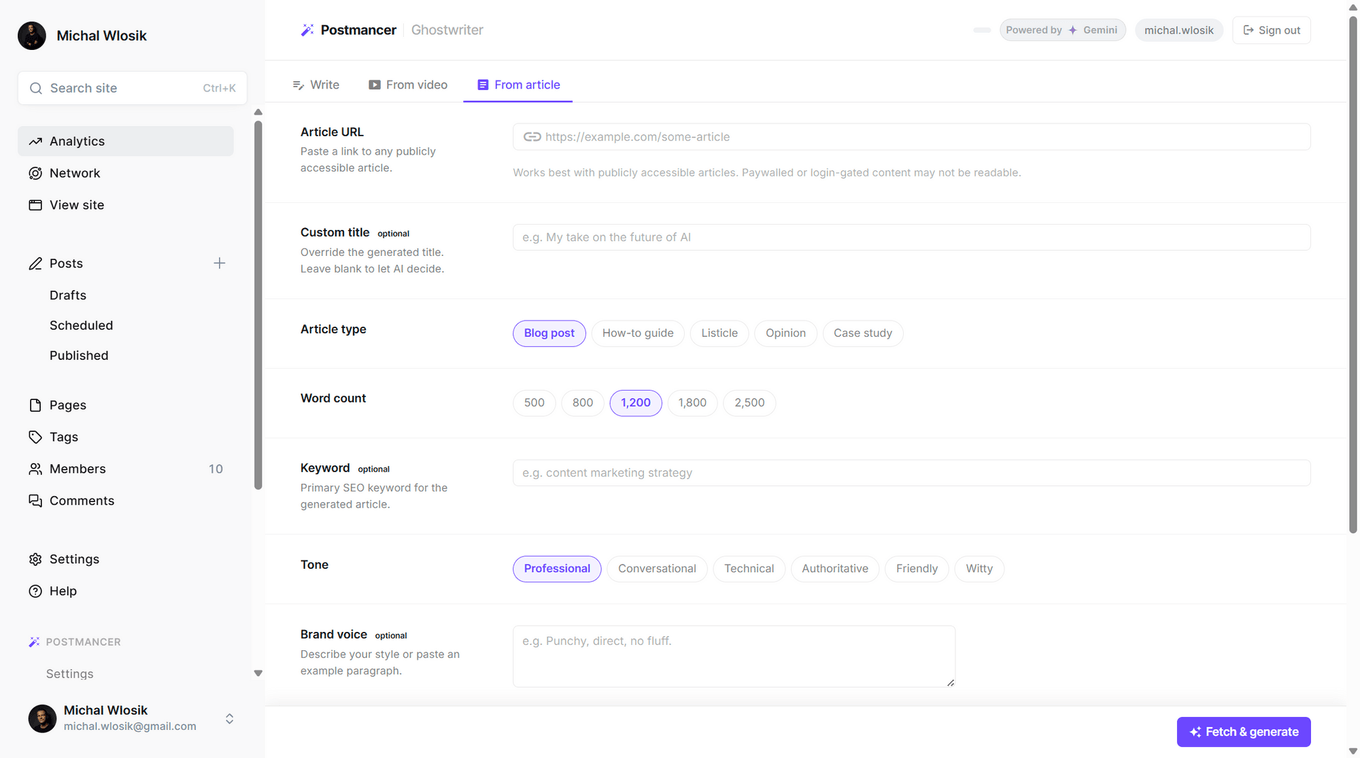
Repurpose any article into your own.
Paste any publicly accessible article URL. Ghostwriter reads it, understands it, and writes a new original piece in your voice — not a summary, a full article. Add a custom title, choose your tone, apply your brand voice. Works with blog posts, news articles, case studies and more. Screenshot: Ghostwriter article mode with URL input
Review, refine, publish
Full control before anything goes live. Review the draft in a split view — article on the left, actions on the right. Describe changes and regenerate specific parts. Apply AI-suggested internal links. When you're ready, set tags, confirm the feature image, and publish directly to Ghost as a draft or live post. Screenshot: Ghostwriter review screen with draft and action pane

Add voice reader to posts
Not everyone reads. Postmancer's Narrate mode converts any Ghost post into a professional audio file with a single click — powered by the most recent ElevenLabs models, the industry standard for natural-sounding AI voices.
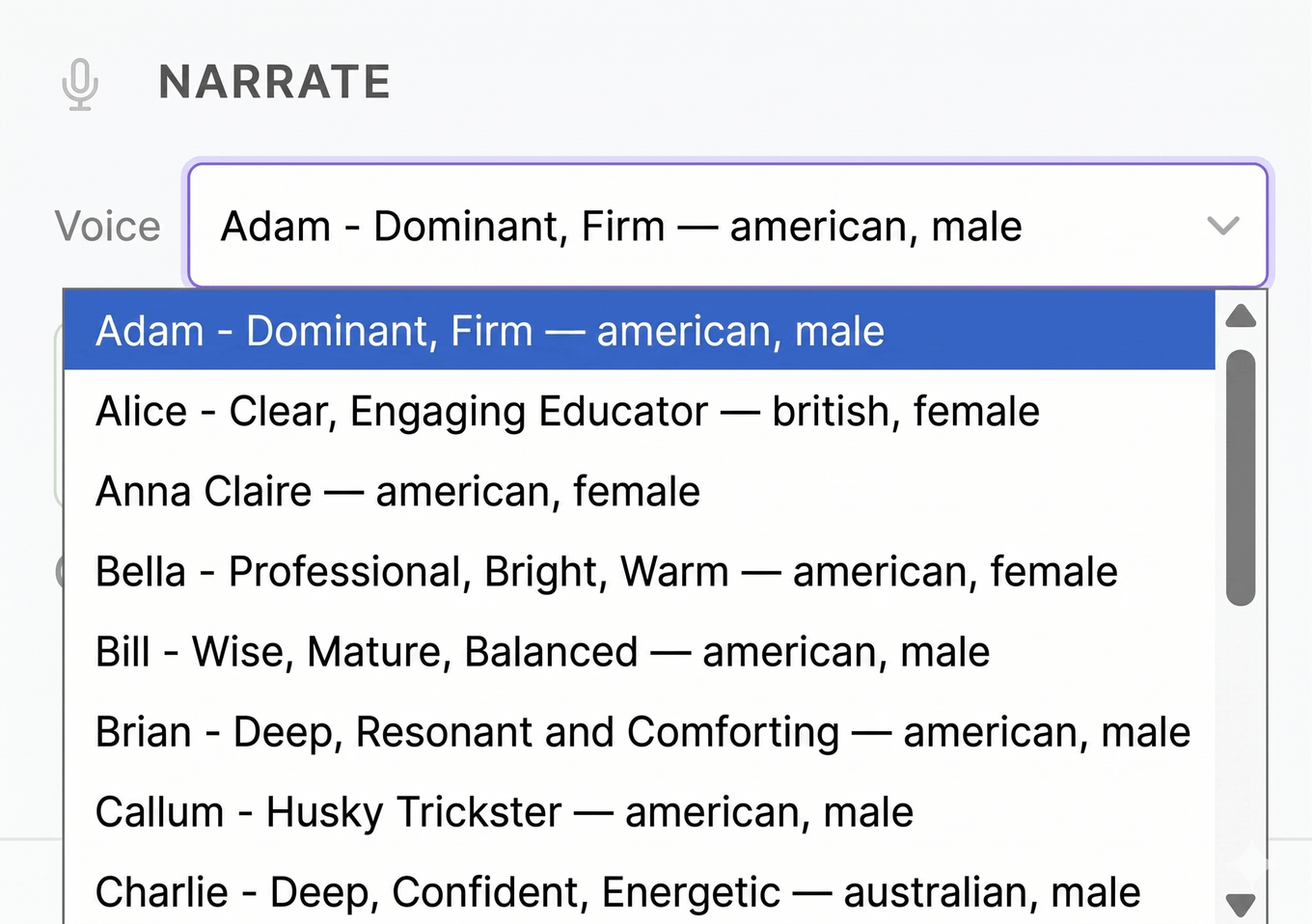
Choose your voice
Pick the tone that fits your brand. Select from a range of natural, human-sounding ElevenLabs voices before generating. Whether your content is professional, warm, or conversational — choose a voice that matches how you want to sound to your audience. No audio editing skills required. Screenshot: voice selector dropdown in the Narrate panel
Studio-quality audio, in under a minute
Hit Generate audio and Narrate reads your entire post, converts it to lifelike speech using ElevenLabs' latest models, and embeds an audio player directly into Ghost. No recording setup, no editing software, no third-party dashboard to log into. Screenshot: Generate audio button with status indicator
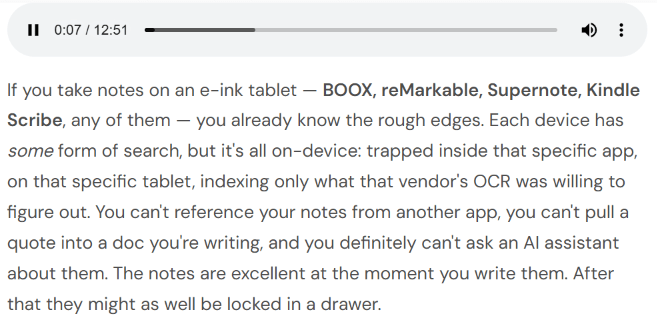
Automatically embedded
The audio player appears inside your Ghost post automatically. Your readers see it at the top of the article and can choose to listen or read — without you configuring anything or touching a single file. Screenshot: audio embedded indicator in the panel
Update or remove anytime
Full control, always. Already have audio on a post? Replace it after edits, swap to a different voice, or remove it entirely with one click. Nothing is permanent — your audio stays in sync with your content. Screenshot: audio exists indicator with remove button
All the tools you need
A full toolkit, right inside Ghost Admin.
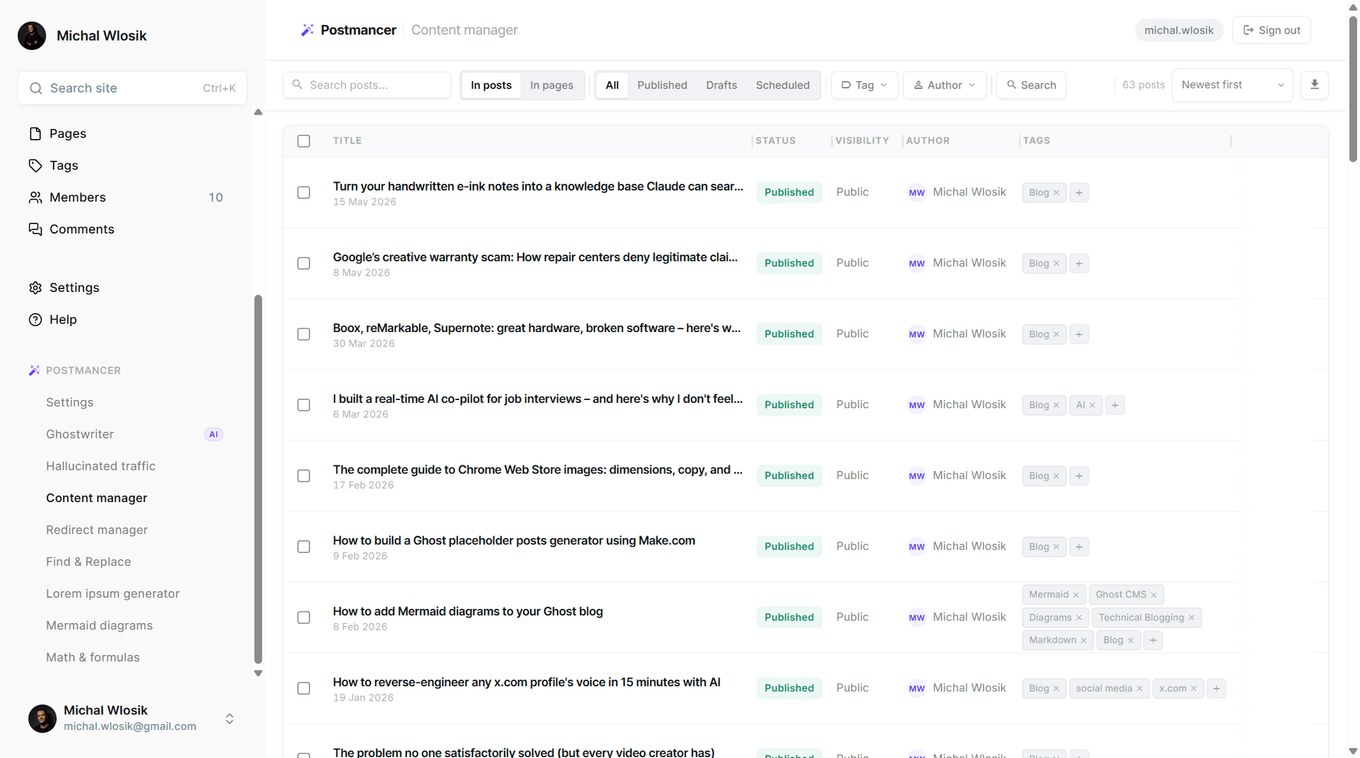
Content Manager
Ghost's native post list is minimal by design. Content Manager gives you a proper editorial interface — search, filter, sort, and act on your entire post archive without opening individual posts.
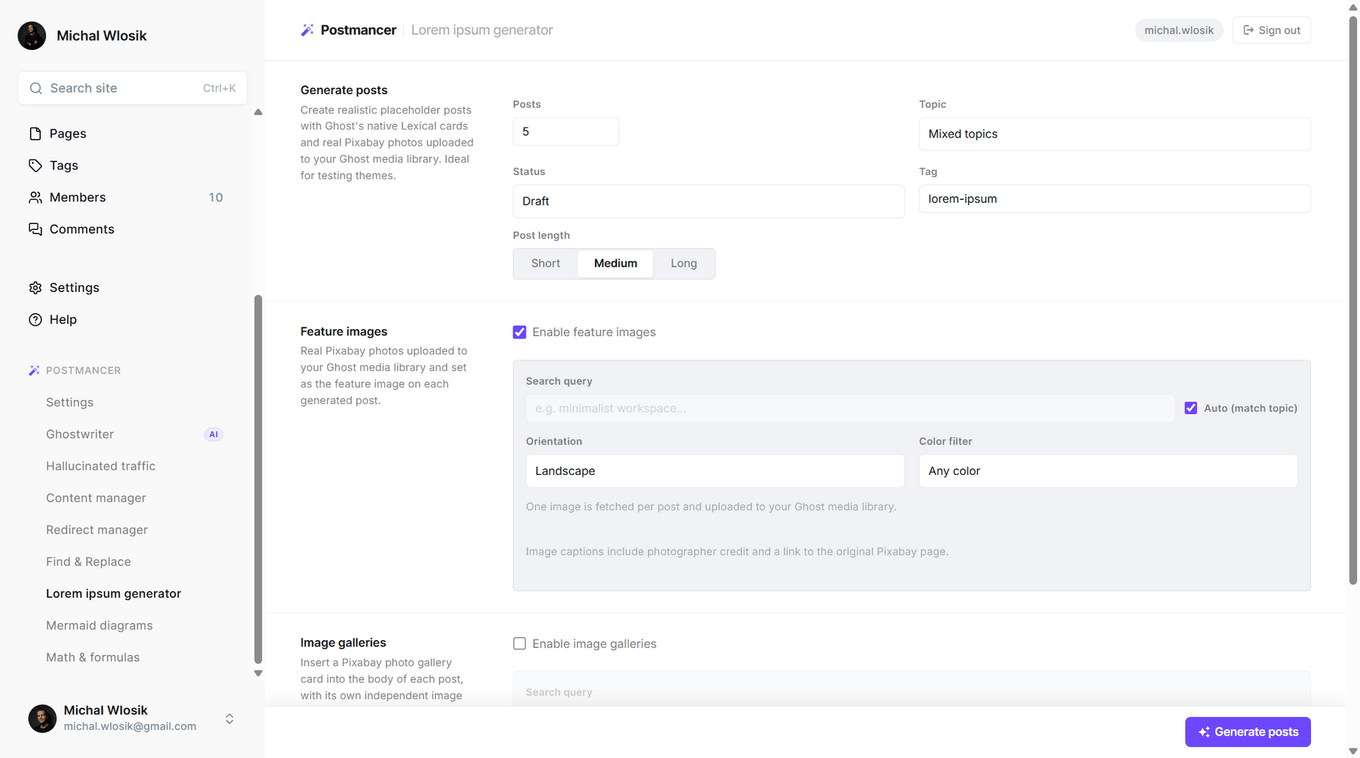
Lorem Ipsum generator
Most lorem ipsum tools generate meaningless Latin text. Postmancer's generator creates realistic placeholder posts with proper Ghost content structure, real Pixabay photos uploaded to your media library, and thematic content that actually tests how your theme handles real-world articles.
Redirect manager
Ghost handles redirects through a JSON file that requires direct server access to edit — not ideal for publishers who just need to point an old URL to a new one. Redirect Manager gives you a clean interface to create, view, and delete redirects directly from Ghost Admin. Move content, fix broken links, consolidate old posts — without a developer, without SSH access, and without ever downloading or uploading a file.
Powerful find & replace
Updating a brand name across 200 posts one by one is not a publishing problem — it's a productivity problem. Find & Replace lets you search across your entire Ghost archive and replace matching text in one operation. Fix a recurring typo, update an old domain name in links, swap out outdated terminology, or replace a product name after a rebrand. Works across published posts, drafts, and pages — giving you the kind of editorial control that Ghost's native editor simply doesn't offer at scale.
Mermaid diagrams and math formulas
Technical writers and educators publishing on Ghost have always had to work around the lack of native diagram and formula support. Mermaid Diagrams lets you write Mermaid syntax and preview rendered flowcharts, sequence diagrams, and architecture charts without leaving Ghost Admin. Math & Formulas renders LaTeX expressions inline — from simple equations to complex notation. Two tools built for publishers whose content goes beyond text and images.
Pricing
Monthly AI credits | 20 | 200 |
|---|---|---|
Ghostwriter runs (10 credits each) | 2 | 20 |
Narrate runs (15 credits each) | 1 | 13 |
Hallucinated traffic tracker |
Install in minutes
Install Postmancer
Add the extension from the Chrome Web Store. Free to install, no payment required to get started.

Connect to your a Ghost site
In Ghost Admin go to Settings → Integrations → Add custom integration. Give it a name and copy the Admin API key.
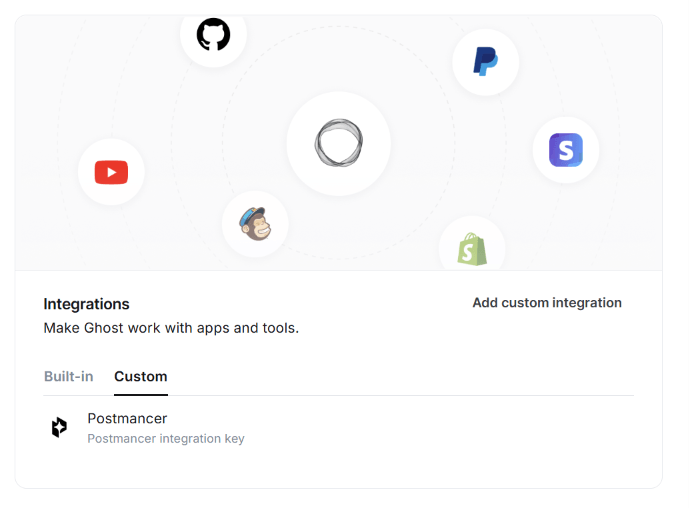
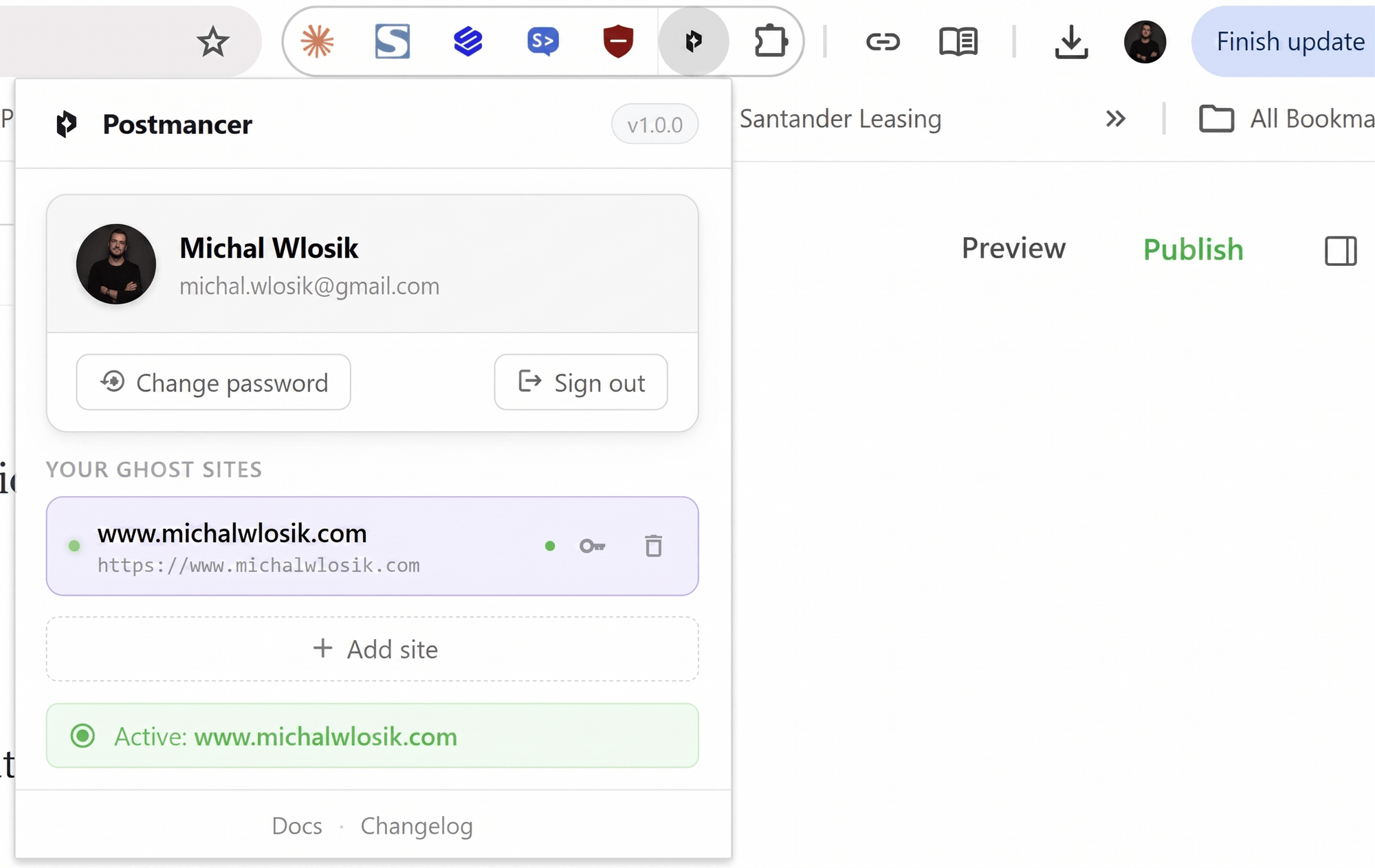
Click the Postmancer icon in your Chrome toolbar, enter your Ghost site URL and paste your API key. Your credentials are stored privately in your browser — never on our servers.